


TruthFinder Background Check
4.224.32K Reviews
App Specs
- Version
- 1.35.16.5
- Updated On
- License
- Free
- Downloads
- 1,000,000+
- Developer
- Pubrec, LLC
- Categories
- Tools
- Platform
- Android
Screenshots
 Analysis by AppCompare
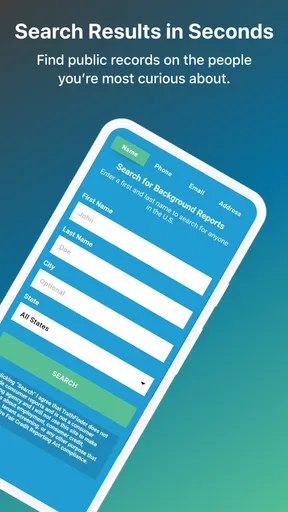
I treat a background-check app as a starting point for careful research, not as a way to make a snap judgment about someone. TruthFinder Background Check is a free tools app from Pubrec, LLC that lets you search using a name, phone number, or email address. Its purpose is straightforward, but the information involved can be sensitive, so I would think about why I’m searching and how I plan to use the results before entering anything.
Trust, controls, and what a search can tell you
A useful way to judge a service like this is to separate a search result from a verified fact. A name or phone number can point toward records associated with a person, but it should not be treated as proof that every result belongs to the person you have in mind. Shared names, old contact details, and incomplete public records can all make interpretation tricky. I would use a report to identify questions worth checking, not to settle a serious decision on its own.
The app is rated for Everyone, and it has a 4.3 average from around 69,000 ratings. Those figures can give a sense of how widely people use it, but they don’t establish that an individual report is complete or current. That distinction matters more here than it might with a simple utility: a confident-looking result can still need context and independent confirmation.
Starting with the least identifying detail
Because a search can begin with a name, phone number, or email, I’d choose the detail that best fits the question rather than enter every identifier at once. If an unfamiliar caller is the concern, starting with the number keeps the task focused. If I am trying to distinguish between people with the same name, a second detail may help narrow the search, but I would only use information I have a legitimate reason to check.
This is also a practical way to avoid turning curiosity into a broad search through someone’s personal history. A small, specific question is easier to evaluate than a report opened without a clear purpose. Before searching, I’d decide what answer would actually help me and what I would do if the results were ambiguous.
Using results cautiously in everyday decisions
Imagine getting repeated calls from a number you don’t recognize. A reverse phone search may offer a lead about who could be calling, but I wouldn’t assume the first matching name is the caller. Numbers can be reassigned, and a result may be associated with someone else. I’d use the information to decide whether to return the call, block it, or verify the identity through a separate channel—not to confront a person based on a match alone.
The same caution applies when meeting someone new online. A search might help identify inconsistencies that deserve a conversation, but it cannot tell me whether someone is safe, honest, or compatible. If the decision involves a job, housing, credit, or another formal eligibility process, I would use the appropriate lawful procedure rather than rely on a general-purpose people-search app. That is a key boundary: convenience does not make a report suitable for every decision.
Worth Reading Before You Choose

EA SPORTS FC Mobile 26 Is a Bigger Football Game, but It Takes Time

Flipboard Shows What News Apps Must Do Beyond the Feed

Switching to Android Auto Means Rethinking Your Driving Routine

Google Calendar Makes a Crowded Week Easier to Manage

Ludo King Makes the Most of the Minutes Between Plans

Baby Panda World Brings Quick Play to Modern Phones, but Its Game Library Feels Busy
Privacy choices deserve a closer look
Before using any people-search tool, I would review the permissions requested on my device and consider whether each one makes sense for the task I’m doing. I would also look at the app’s privacy information and account controls before submitting personal details. Those are sensible checks, especially when a service handles searches about other people as well as information that may relate to me.
I would not assume that a private search means there are no privacy trade-offs. A search still involves entering identifying information into a service, and the result itself can be sensitive. Keeping the purpose narrow, avoiding unnecessary details, and not sharing screenshots or reports casually are simple ways to reduce exposure. If I’m only trying to identify a nuisance call, I wouldn’t turn that into a broader investigation.
What to check before spending money
The app is free to install, but in-app purchases range from $0.99 to $67.99 per item. I’d check what a particular purchase includes and whether it is a one-time item or tied to an ongoing commitment before confirming anything. If I only need to identify one unfamiliar number, it may be worth comparing the price and scope of the available option with simpler alternatives before paying.
That matters because “free to download” does not mean every useful result is free. I’d avoid starting a purchase flow when I’m unsure what I’m buying, and I would keep track of any account or billing settings associated with a purchase. A clear budget and a specific search goal make it easier to decide whether a report is worth the cost rather than paying simply because the app has already gathered some information.
Where it fits among the alternatives
For a basic unknown-call check, a phone’s built-in caller identification, voicemail, or a direct message may be enough and involves less digging. For verifying a business, an official company site or a public agency’s own records are usually a better source. TruthFinder is more relevant when I want to bring together people-search information from a name or contact detail and am willing to review a broader report carefully.
That broader approach is both its appeal and its trade-off. A focused lookup can answer a narrow question quickly, while a report that pulls together different kinds of information can take more time to interpret and may include material that is irrelevant to the reason I searched. I’d choose the simplest source that can answer the question reliably; I wouldn’t use a background-check app just because it can surface more information.
Who may find it useful—and who should skip it
I can see the app being useful for an adult who has a specific, lawful reason to look into a person or identify an unfamiliar contact, and who is prepared to treat results as leads rather than verdicts. It may also suit someone who wants a single place to begin a people search instead of manually checking several sources. The app has over 1 million installs, but popularity is not a substitute for checking whether its approach suits your needs.
I would skip it if I expected a definitive answer, needed an official screening result, or felt tempted to use a report to monitor someone without a fair reason. It is also not the right choice if I am unwilling to review the purchase terms or handle sensitive information carefully. In those situations, an official source, a direct conversation, or no search at all may be the more responsible option.
Version, compatibility, and practical expectations
The current version is 1.35.16.2, and the listed minimum Android requirement is 7.0. That makes device compatibility a straightforward thing to check before installing, particularly if you use an older phone. The app was released on October 11, 2016, and its long availability may be reassuring to some people, though age alone says nothing about the accuracy of a particular result.
For a first search, I’d keep the process modest: enter one relevant identifier, read the result carefully, and pause before treating any match as certain. If the information could affect someone’s safety, reputation, or opportunity, I’d verify it through a dependable independent source. That workflow is slower than accepting a report at face value, but it is a better fit for the stakes.
First Impressions
Right off the bat, TruthFinder makes a solid impression with its clean and intuitive interface. The app is user-friendly, with everything laid out neatly so you don’t need to be a tech whiz to navigate it. I found the onboarding process smooth; a few taps and you’re ready to start digging up the dirt—or confirming someone’s squeaky-clean record.
Features That Stand Out
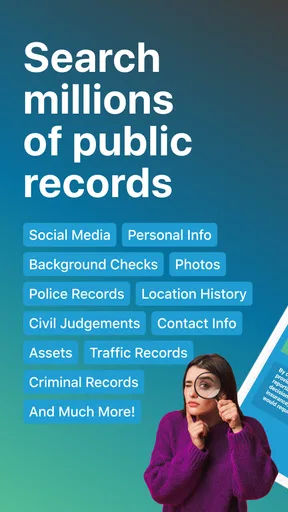
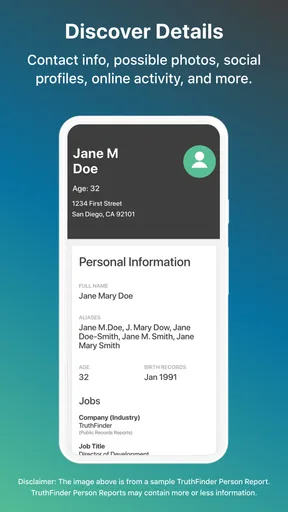
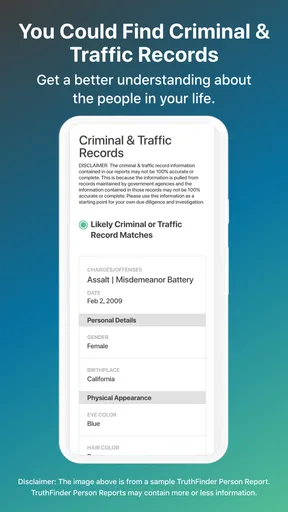
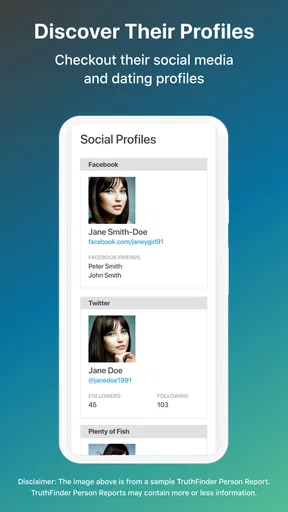
So, what does this app offer? Quite a bit, actually. From detailed background checks to contact information and social media profiles, it’s pretty thorough. The most impressive part for me was the criminal records search. It’s detailed and brings up relevant information quickly. Plus, the app offers a handy reverse phone lookup feature, which I found particularly useful when I wanted to know more about mysterious calls.
Another cool feature is the “Dark Web Scan.” It sounds intense, and rightly so. This feature checks if any of your personal information is lurking in the dark corners of the internet. It’s quite reassuring to have this level of security at your disposal.
Usability and Navigation
In terms of usability, this app scores high. Each search is straightforward, and results are presented in an easy-to-read format. I appreciated the way the app categorizes the information—it makes scanning through data less overwhelming. However, it’s good to remember that background checks can take a little while to process, depending on the depth of information you’re seeking.
One thing to note: while the app is free to download, accessing full reports requires a subscription. It’s a slight downside if you’re looking for a completely free service, but the depth of information provided might justify the cost for many users.
Privacy Concerns
Now, let’s talk about privacy. I know, diving into someone’s background can feel a bit intrusive, and privacy is a significant concern here. TruthFinder emphasizes that searches are confidential, which is a relief. Still, it’s crucial to use the app responsibly and ethically. Just because we can find information doesn’t mean we should misuse it.
Additionally, for those worried about their own privacy, the app allows you to opt-out and remove your information from their database. It’s a thoughtful feature, considering the sensitive nature of the data involved.
Customer Support and Community Feedback
In case you run into any issues, the app’s customer support is quite responsive. I reached out with a query, and their response was prompt and helpful. It’s always nice to know there’s a real person on the other side ready to assist.
Browsing through online forums and reviews, it’s clear that many users find TruthFinder Background Check to be a reliable tool in their arsenal. Of course, there are occasional grumbles about the subscription fee, but overall, the app seems to deliver on its promises for most users.
Final Thoughts
So, is TruthFinder Background Check worth your time and money? If you’re someone who frequently needs to verify information or wants peace of mind about those you interact with, it’s a valuable tool. The app’s comprehensive features, combined with its ease of use, make it a standout choice in the realm of background check services.
Just remember to use it responsibly and respect the privacy of others. After all, with great power comes great responsibility, right? If you’re curious to try it out, you can easily download it for both Android and iOS. Give it a spin and see if it fits your needs like it did mine!
Pros
- Comprehensive and easy-to-use interface.
- Detailed background reports available.
- Searches public records efficiently.
- Mobile-friendly with good performance.
- Regular updates with new features.
Cons
- Subscription required for full access.
- Some searches may take extra time.
- Occasional outdated information.
- Limited free features available.
- Sensitive data might raise privacy concerns.
FAQs for TruthFinder Background Check
What is TruthFinder Background Check used for?
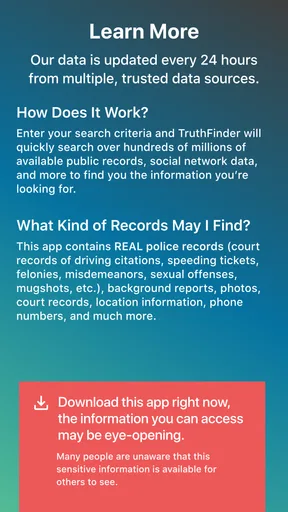
TruthFinder is an app that provides detailed background checks on individuals. It's used to find information such as criminal records, contact details, and social media profiles. This can be particularly useful for employers, landlords, or anyone wanting to verify someone's background for safety or personal reasons.
Is the information provided by TruthFinder accurate and reliable?
TruthFinder compiles data from various public records and databases, which can lead to a comprehensive and generally reliable report. However, users should note that no background check service can guarantee 100% accuracy. It's always a good idea to cross-reference information for complete assurance.
How does TruthFinder protect my privacy?
TruthFinder takes user privacy seriously by implementing robust security measures. They use encryption to protect your data and ensure that your searches remain confidential. Users are advised to review their privacy policy to understand how their information is handled and what their rights are.
Are there any costs associated with using TruthFinder?
TruthFinder operates on a subscription model. While you can download the app for free, accessing detailed reports requires a paid subscription. The cost can vary depending on the plan you choose, so it's important to check their pricing details before committing.
Can I use TruthFinder for employment screening?
TruthFinder is not compliant with the Fair Credit Reporting Act (FCRA), which means it cannot be used for official employment background screening. Employers should use services specifically designed for FCRA-compliant checks to avoid legal issues.


